SAIFI WALLET / Entertainment Services
Internet Cards
Internet cards Enjoy a simple and convenient way to purchase internet cards from multiple service providers Select your provider and preferred card,complete your purchase through SAIFI Digital Wallet, and stay informed with clear…
Explore this service SAIFI WALLET
01 / ABOUT THE SERVICE
Internet Cards
Internet cards Enjoy a simple and convenient way to purchase internet cards from multiple service providers Select your provider and preferred card,complete your purchase through SAIFI Digital Wallet, and stay informed with clear transaction details.
02 / STEP BY STEP
See each step.
Then find your way.
Choose a step to read the guide and explore the service experience.
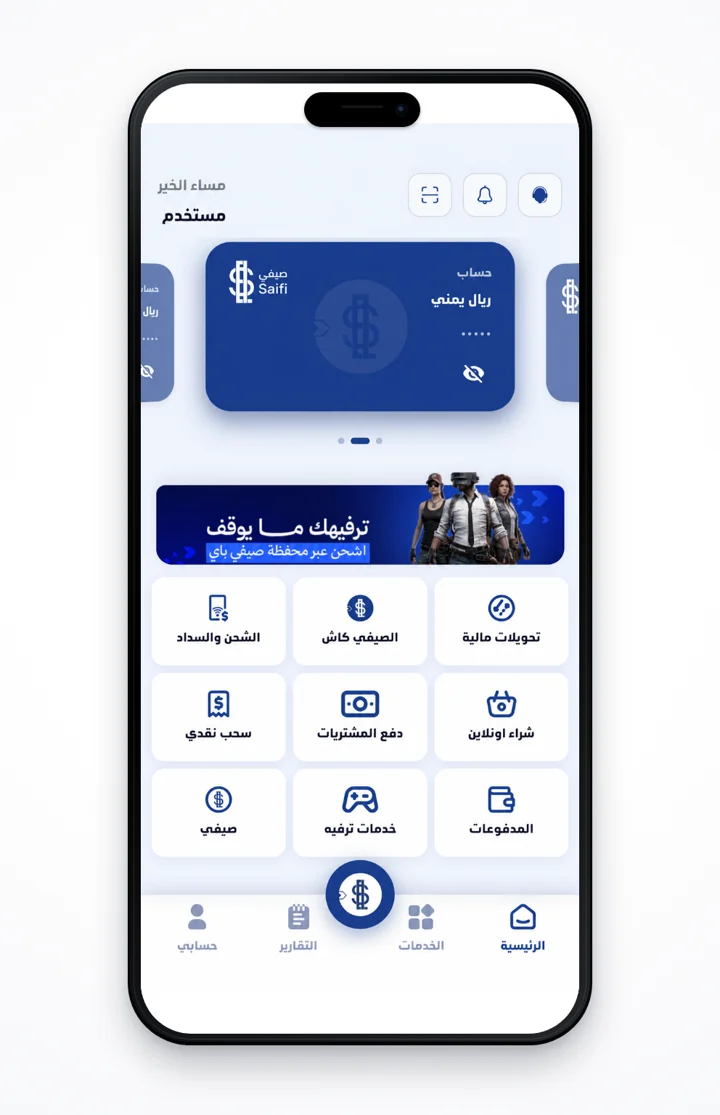
01 / 05From the Home screen, select Entertainment Services
Then select Internet Cards

02 / 05Then select Internet Cards
Select the card
03 / 05Select the card
Select the package, then tap Continue
04 / 05Select the package, then tap Continue
Enter the device number, then tap Continue
05 / 05Enter the device number, then tap Continue
03 / BEFORE YOU BEGIN
A few things
worth knowing.
01Where can I find the service steps?
+
Explore the service guide above. Contact support if you need help using the app.
02How can I check fees and availability?
+
Review the details shown in the app before confirming a transaction. Contact support for fees and limits for a specific service.



SAIFI WALLET / ALWAYS WITHIN REACH
A clearer next step.
Explore the guide or talk to our support team.