SAIFI WALLET / THE GUIDE
Your first step.
Starts with clarity.
A visual guide through real app screens. Choose a service and explore each step at your own pace.
Choose your guideFrom the screen.
To your first step.
INTERACTIVE GUIDE
What would you like to explore?
02 / STEP BY STEP
See each step.
Then find your way.
Choose a step to read the guide and explore the service experience.
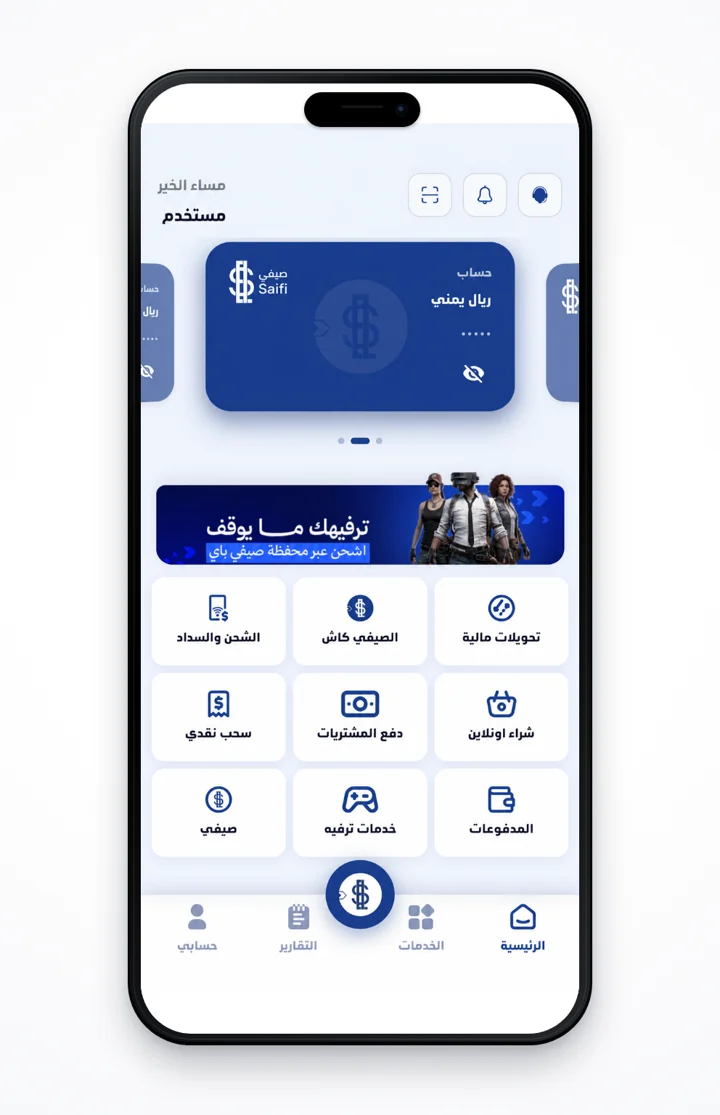
01 / 05Financial Transfers
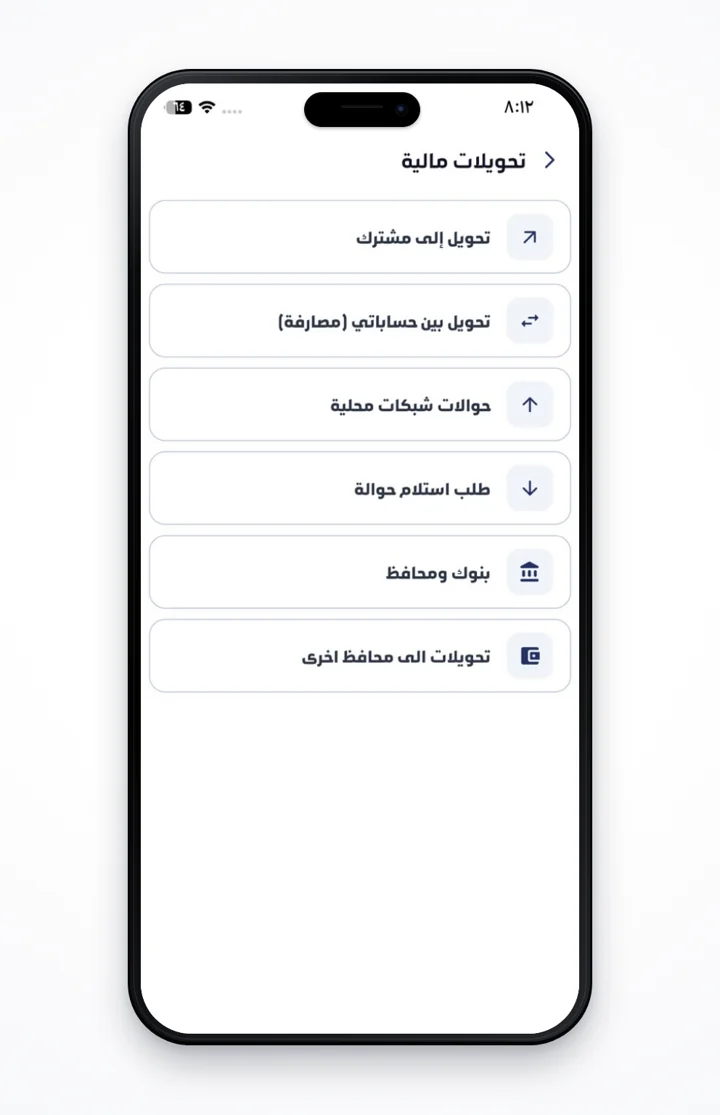
02 / 05Select Saifi Cash
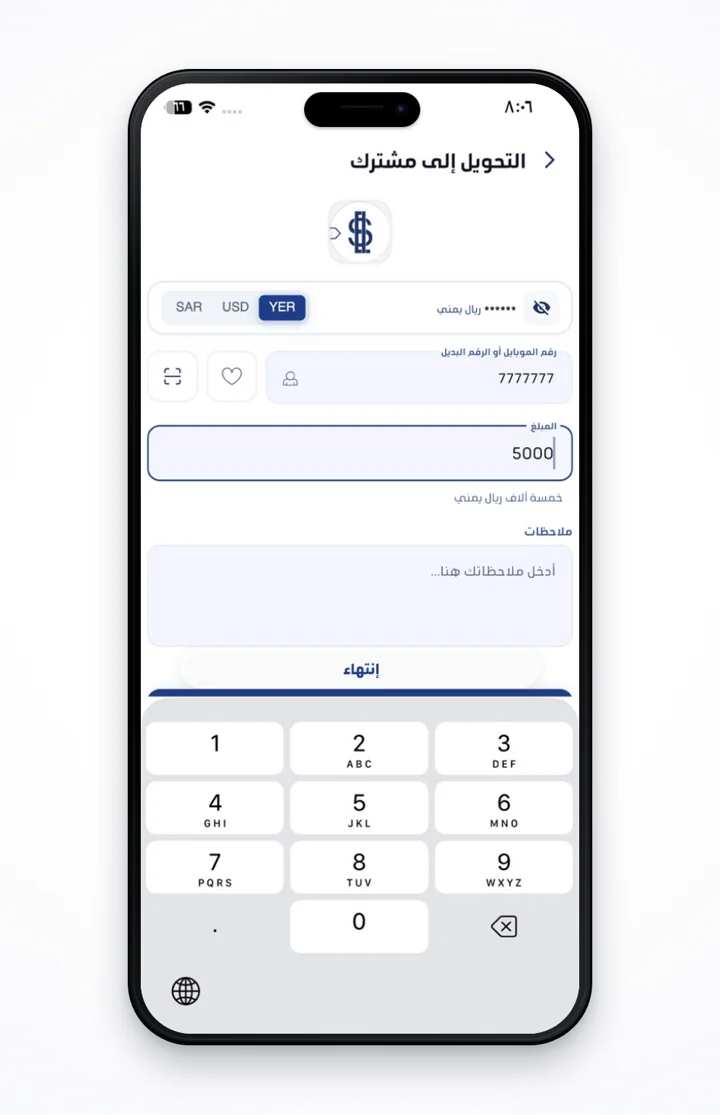
03 / 05Enter the phone number or alternative number, or scan the QR code
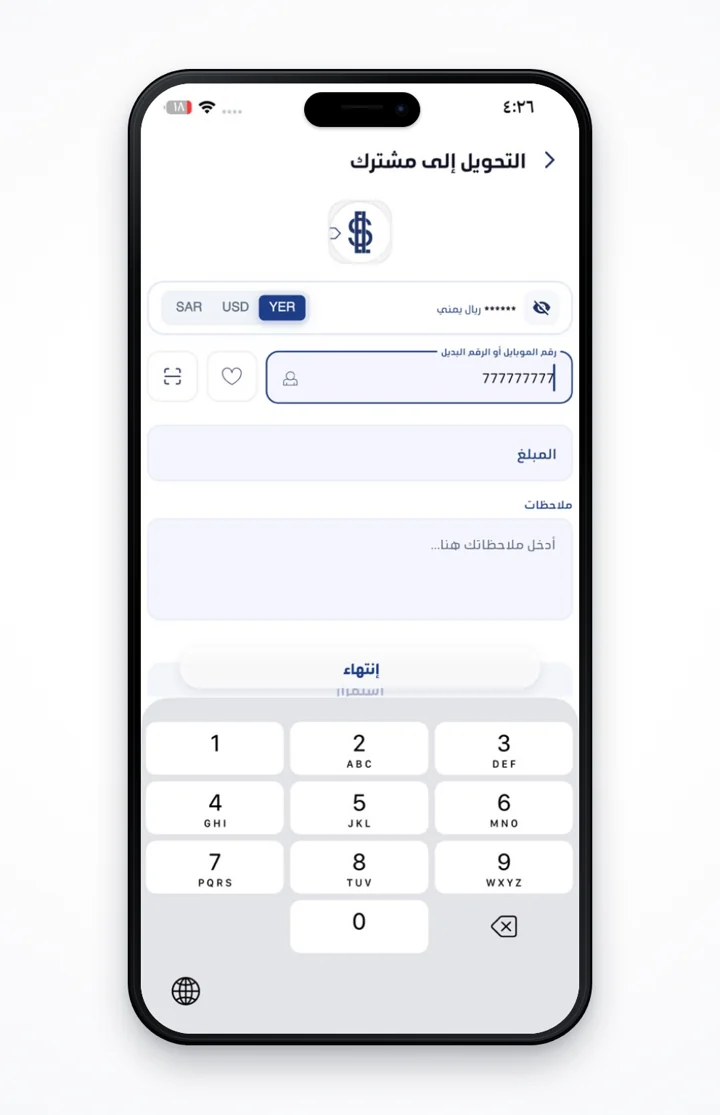
04 / 05Then enter the amount
Finally, tap Execute

05 / 05Finally, tap Execute
02 / STEP BY STEP
See each step.
Then find your way.
Choose a step to read the guide and explore the service experience.
01 / 05Financial Transfers
02 / 05Select Saifi Cash
03 / 05Enter the phone number or alternative number, or scan the QR code
04 / 05Then enter the amount
Finally, tap Execute
05 / 05Finally, tap Execute
02 / STEP BY STEP
See each step.
Then find your way.
Choose a step to read the guide and explore the service experience.
01 / 04Tap Pay for Purchases
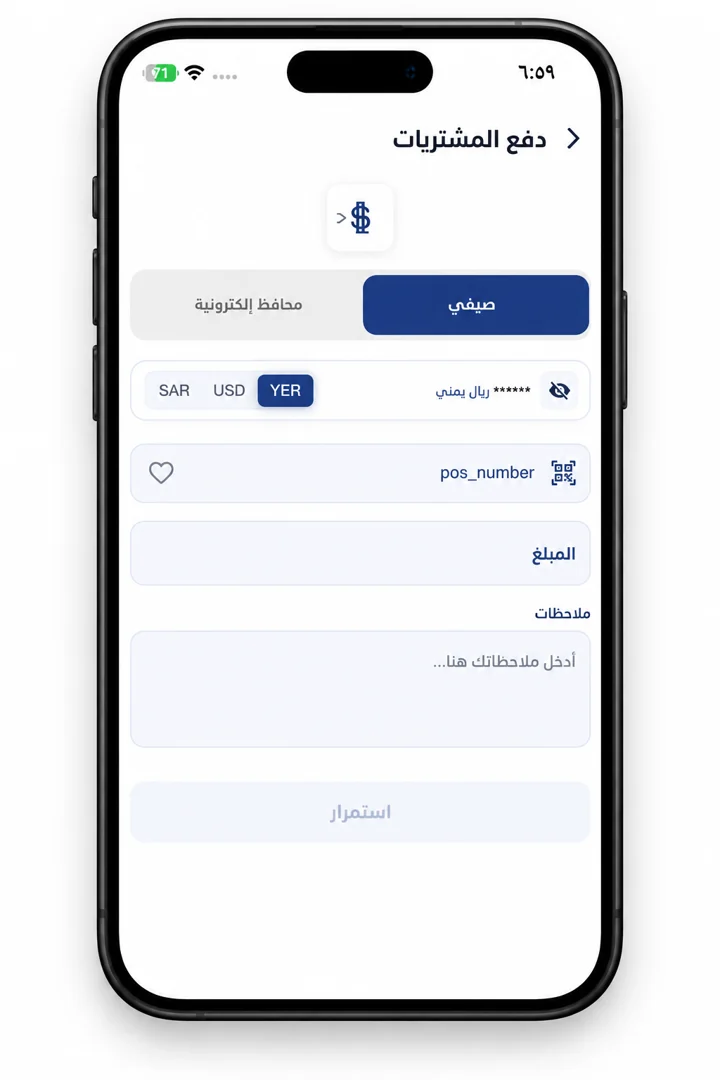
02 / 04Then enter the point number or scan the QR code
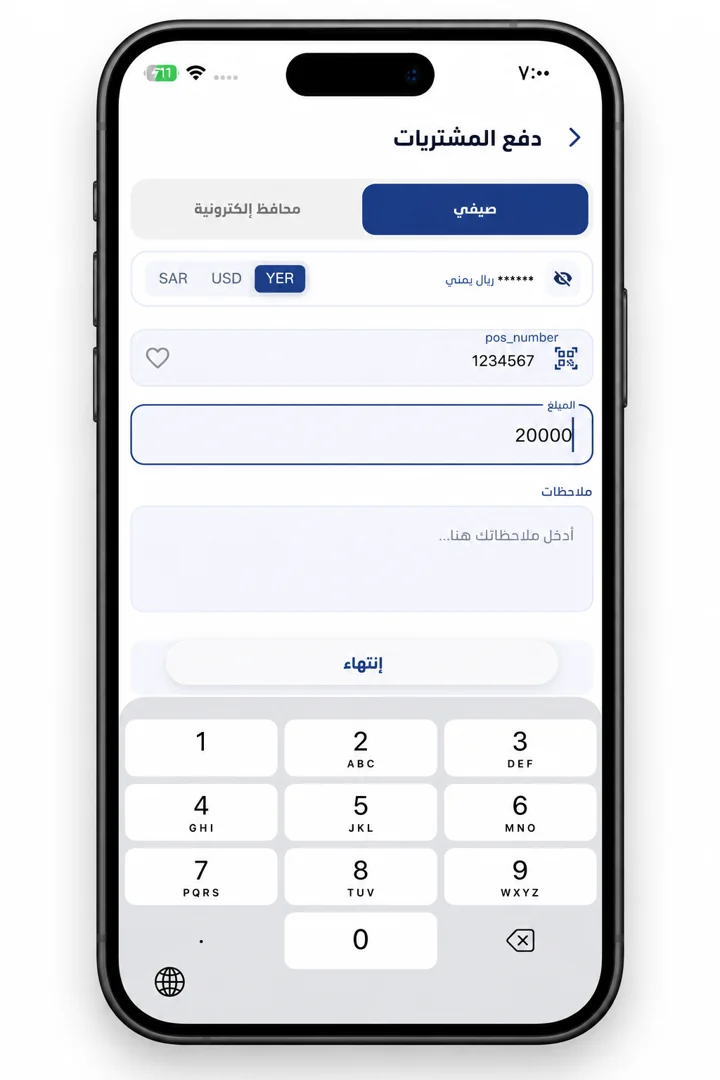
03 / 04Then enter the amount
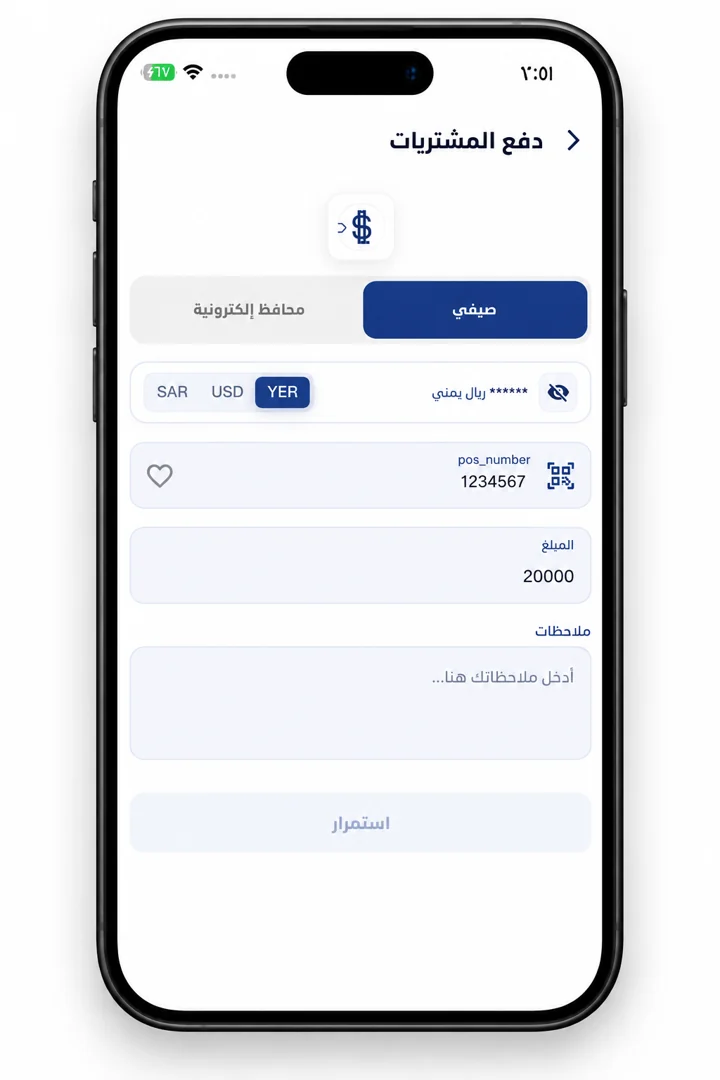
04 / 04Then tap Continue
02 / STEP BY STEP
See each step.
Then find your way.
Choose a step to read the guide and explore the service experience.
01 / 03From the Home screen, select Cash Withdrawal
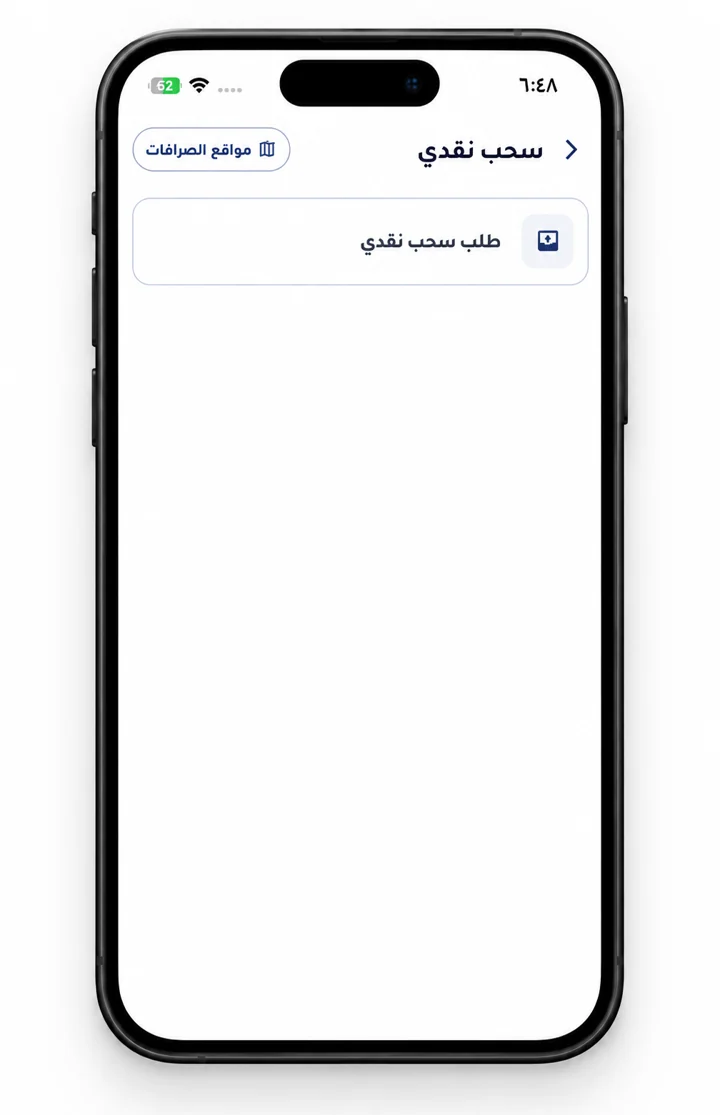
02 / 03Then select Cash Withdrawal Request
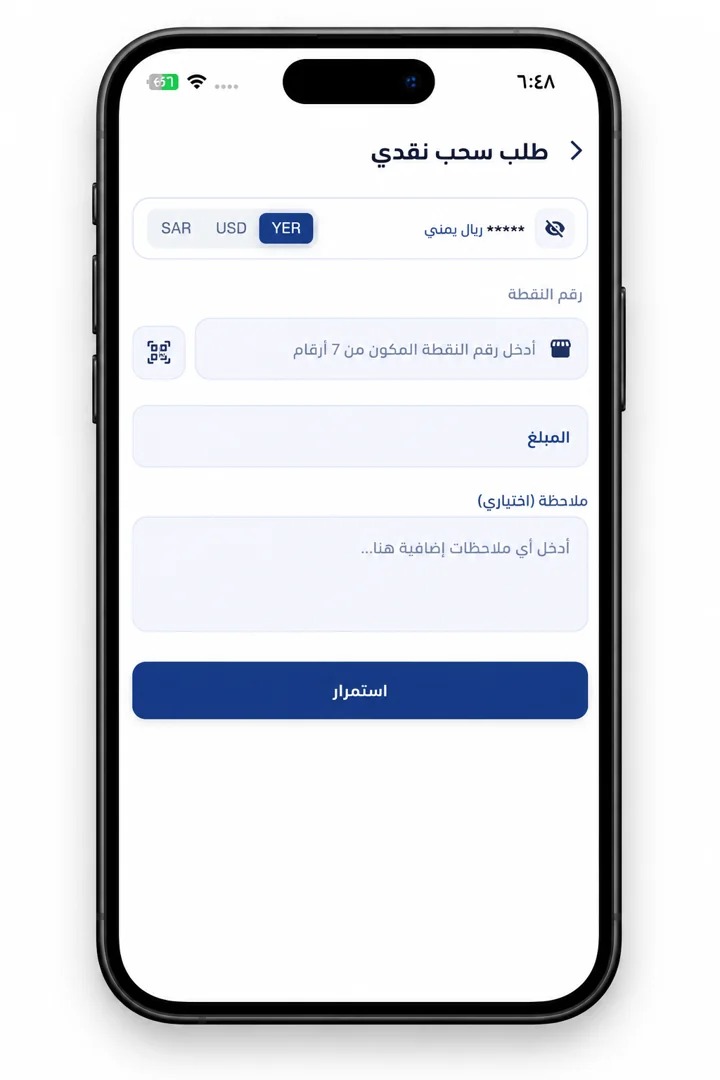
03 / 03Enter the amount, then tap Continue
02 / STEP BY STEP
See each step.
Then find your way.
Choose a step to read the guide and explore the service experience.
01 / 03From the Home screen, select Online Purchase
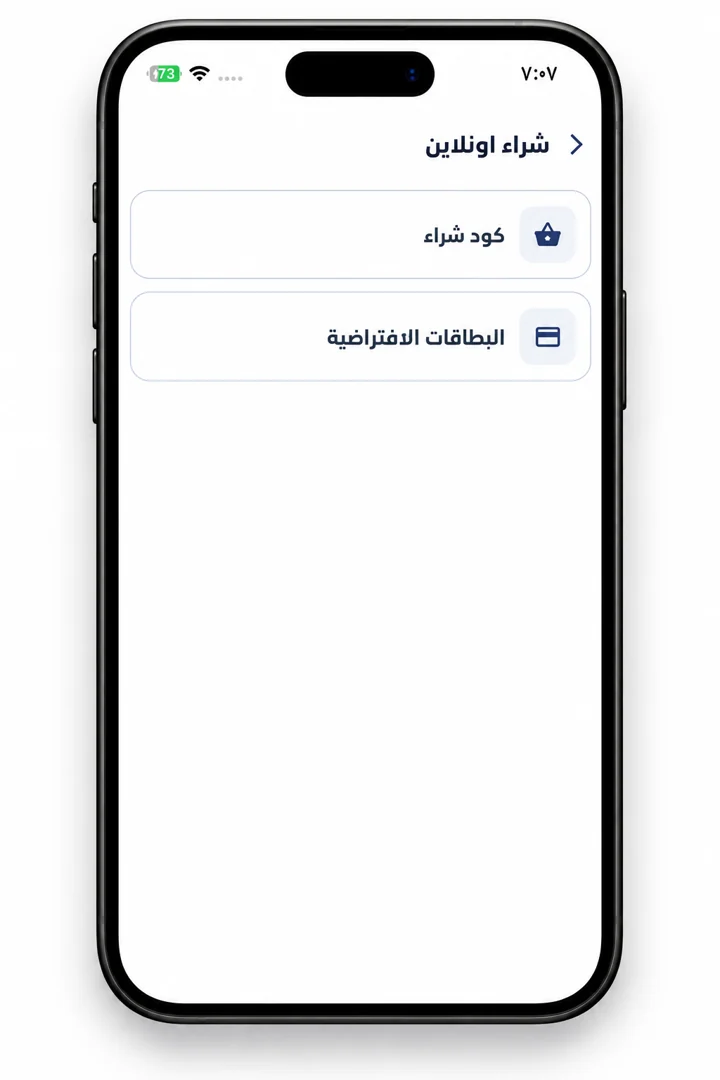
02 / 03Select Purchase Code
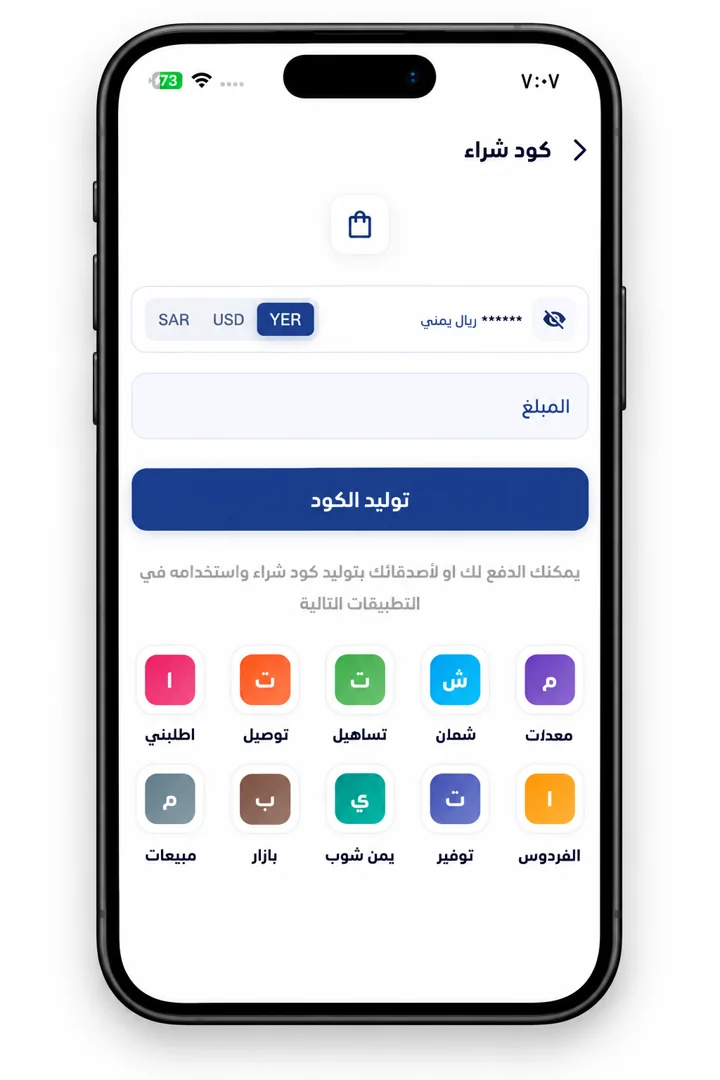
03 / 03Enter the account number and amount, then tap Generate Code
02 / STEP BY STEP
See each step.
Then find your way.
Choose a step to read the guide and explore the service experience.
01 / 03From the Home screen, select Financial Transfers
02 / 03Then select Transfer Between My Accounts
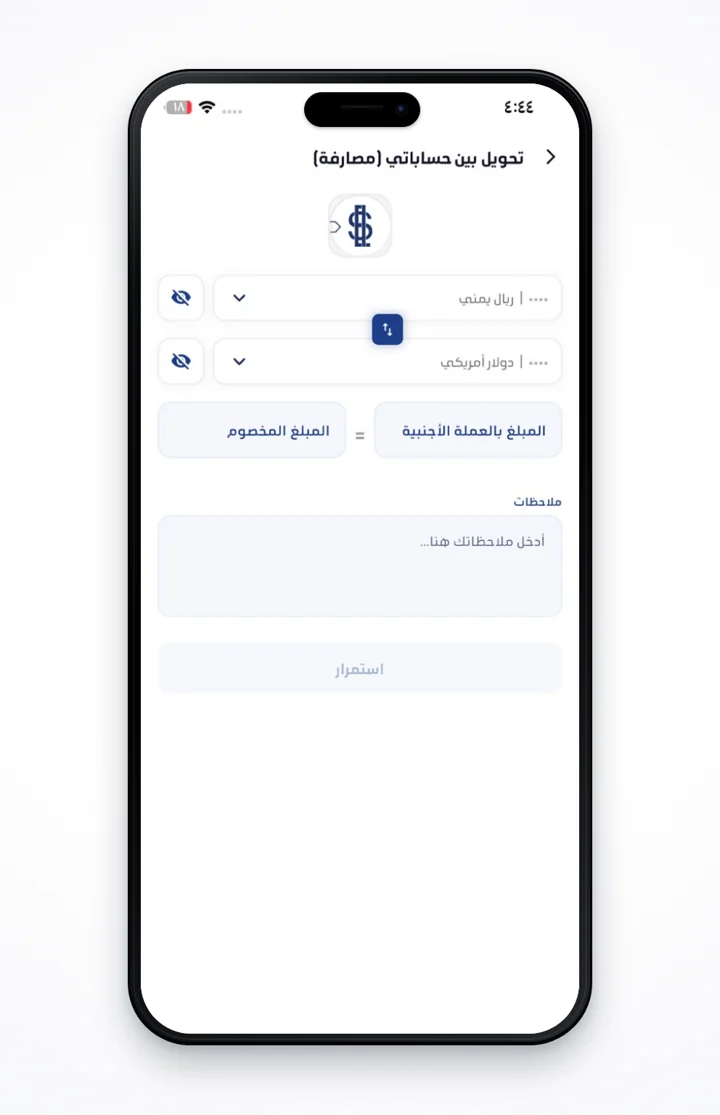
03 / 03Select the exchange account, enter the transaction amount, then tap Continue
02 / STEP BY STEP
See each step.
Then find your way.
Choose a step to read the guide and explore the service experience.
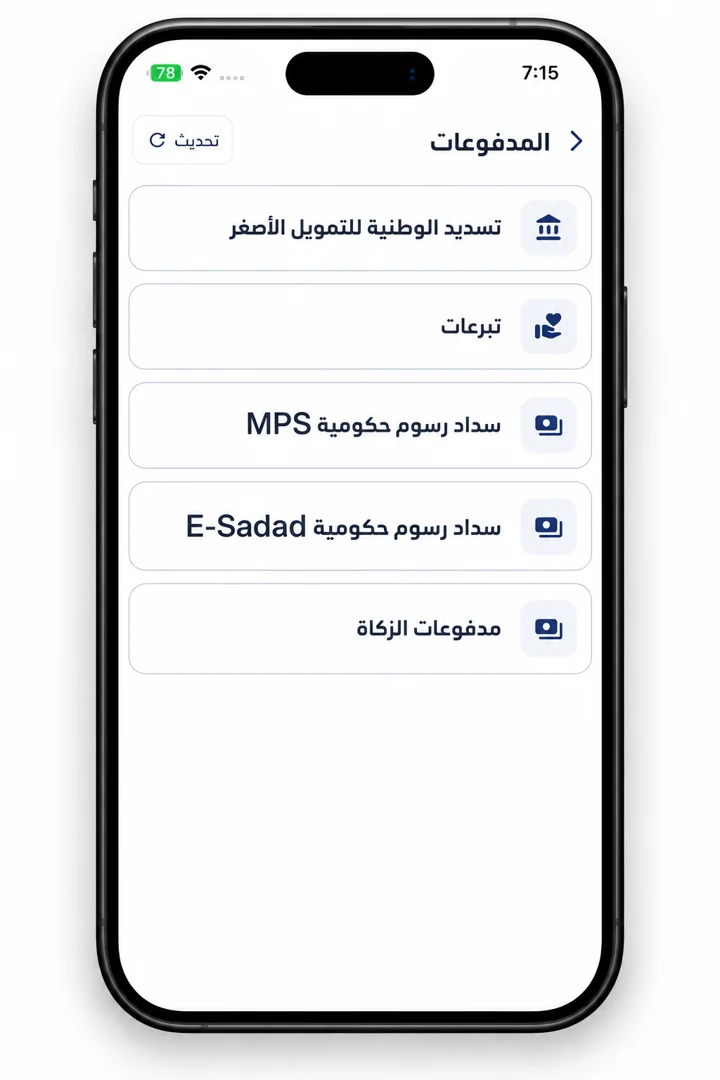
01 / 04From the Home screen, select Payments
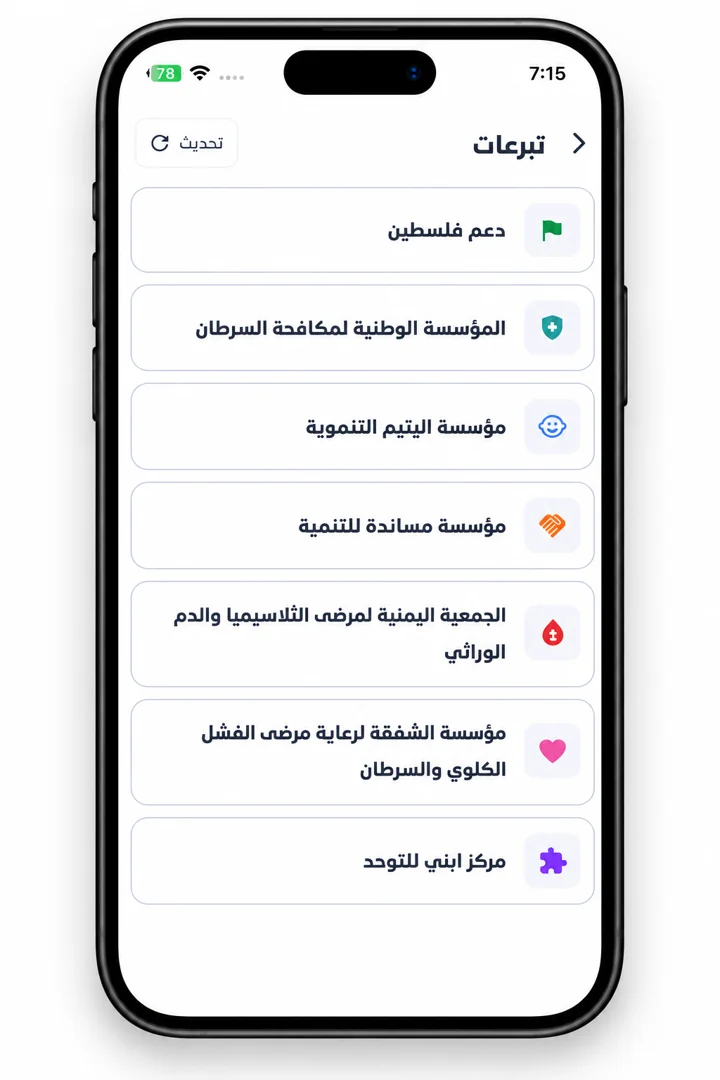
02 / 04Select Donations
03 / 04Select the organization
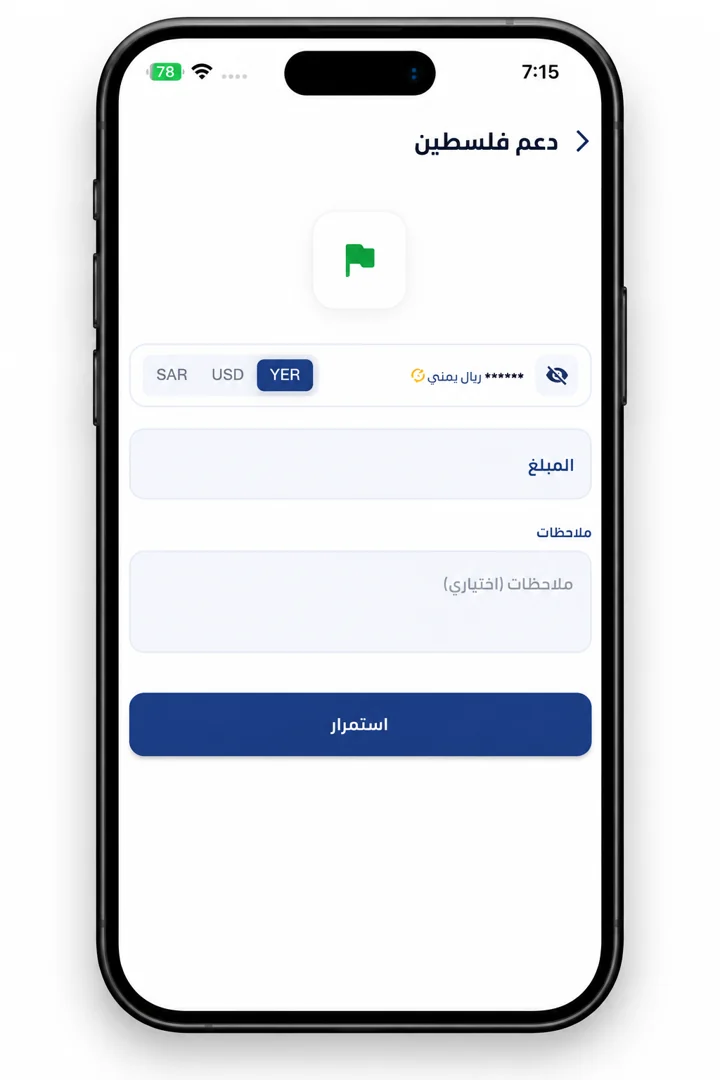
04 / 04Enter the amount, then tap Continue
SAIFI WALLET / GUIDE LIBRARY
For every service,
a clearer path.
01Money Transfers
+
02Saifi Cash
+
03Recharge and Bill Payment
+
04Online Shopping
+
05Purchase Payments
+
06Cash Withdrawal
+
07Payments
+
08Entertainment Services
+
SAIFI WALLET / ALWAYS WITHIN REACH
A clearer next step.
Explore the guide or talk to our support team.