SAIFI WALLET / SAIFI
SAIFI Family
SAIFI Family brings family financial management together in one simple experience Create and manage sub-accounts, set personalized spending limits and monitor expenses with greater clarity and control all from your SAIFI Digital…
Explore this service SAIFI WALLET
01 / ABOUT THE SERVICE
SAIFI Family
SAIFI Family brings family financial management together in one simple experience Create and manage sub-accounts, set personalized spending limits and monitor expenses with greater clarity and control all from your SAIFI Digital Wallet.
02 / STEP BY STEP
See each step.
Then find your way.
Choose a step to read the guide and explore the service experience.
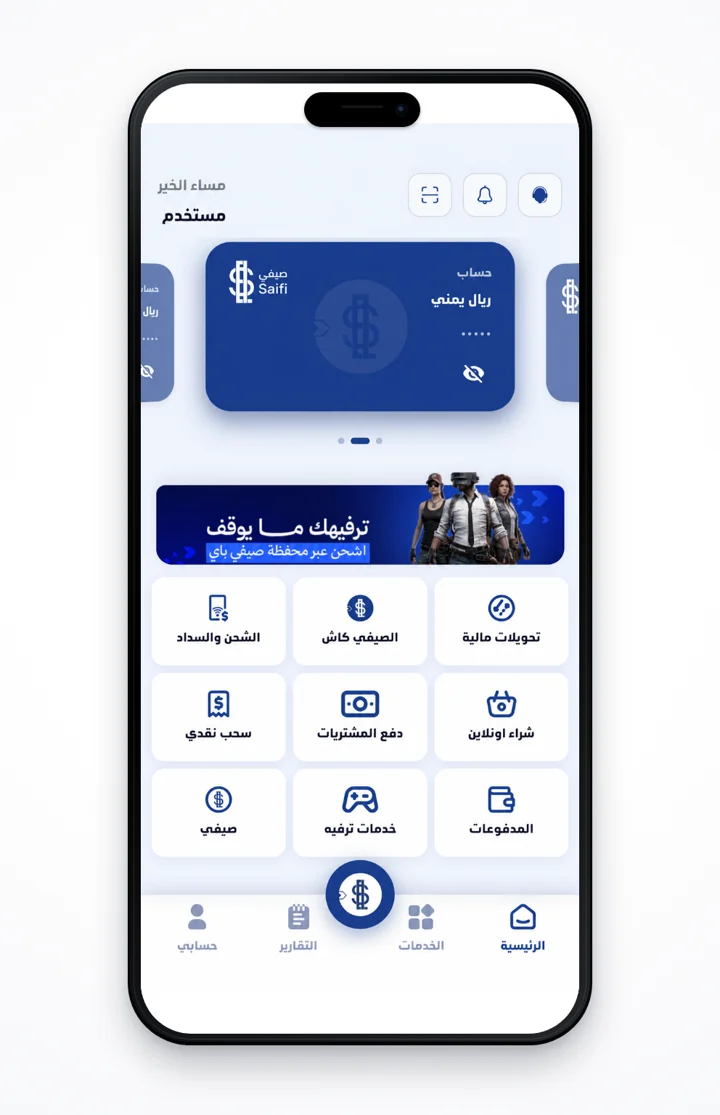
01 / 10From the Home screen, select SAIFI
Then select SAIFI Family

02 / 10Then select SAIFI Family
Tap Add Family Wallet
03 / 10Tap Add Family Wallet
Enter the required information, review the Terms & Conditions, tap Agree, then tap Add Family Wallet
04 / 10Enter the required information, review the Terms & Conditions, tap Agree, then tap Add Family Wallet
From the account screen, tap Customize Transactions
05 / 10From the account screen, tap Customize Transactions
Enable service transactions for the sub-account, then select Set Limits
06 / 10Enable service transactions for the sub-account, then select Set Limits
Set the transaction limit for the sub-account
07 / 10Set the transaction limit for the sub-account
From the account screen, select Fund Account, enter the amount, then tap Continue
08 / 10From the account screen, select Fund Account, enter the amount, then tap Continue
From the account screen, select Withdraw, enter the amount, then tap Continue.
09 / 10From the account screen, select Withdraw, enter the amount, then tap Continue.
Once completed, you can create more than one sub-account
10 / 10Once completed, you can create more than one sub-account
03 / BEFORE YOU BEGIN
A few things
worth knowing.
01Where can I find the service steps?
+
Explore the service guide above. Contact support if you need help using the app.
02How can I check fees and availability?
+
Review the details shown in the app before confirming a transaction. Contact support for fees and limits for a specific service.



SAIFI WALLET / ALWAYS WITHIN REACH
A clearer next step.
Explore the guide or talk to our support team.